

Workflow Queries
Estimated reading time: less than 1 minuteWorkflow Queries provide access to workflow execution results and verification details.
Each workflow processes user data through a sequence of verification steps (e.g. identity, age check, document validation) and produces a structured output that can be consumed by your system.
🎯 Introduction
This section covers how workflows are structured, how to interpret their outputs, and how to retrieve results for integration into your system.
⚙️ Workflow Overview
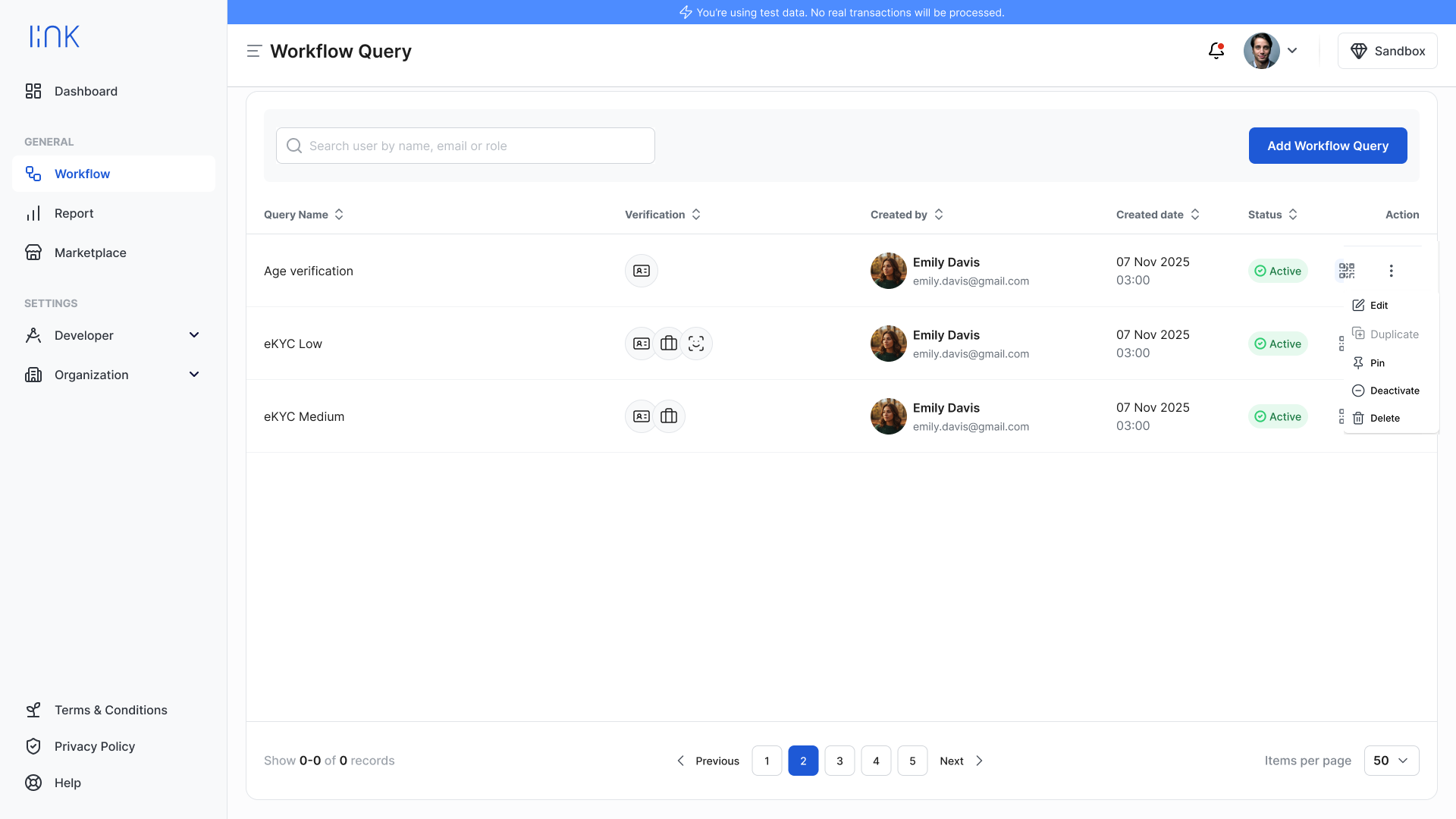
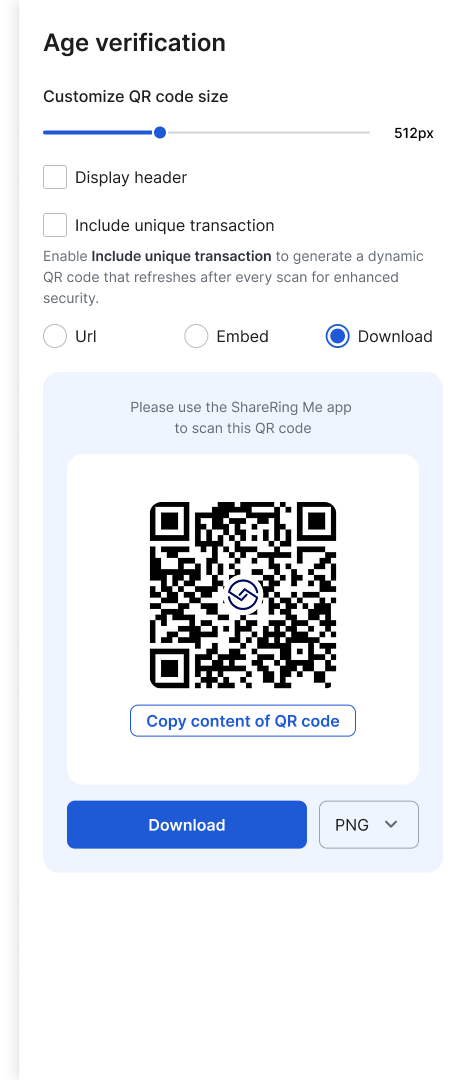
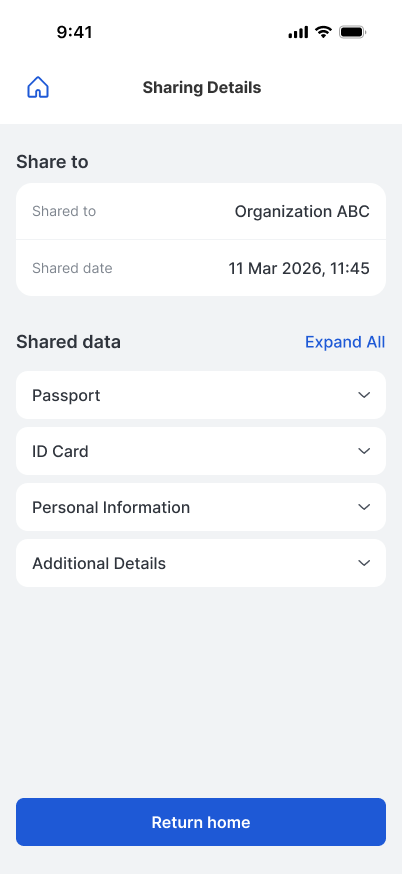
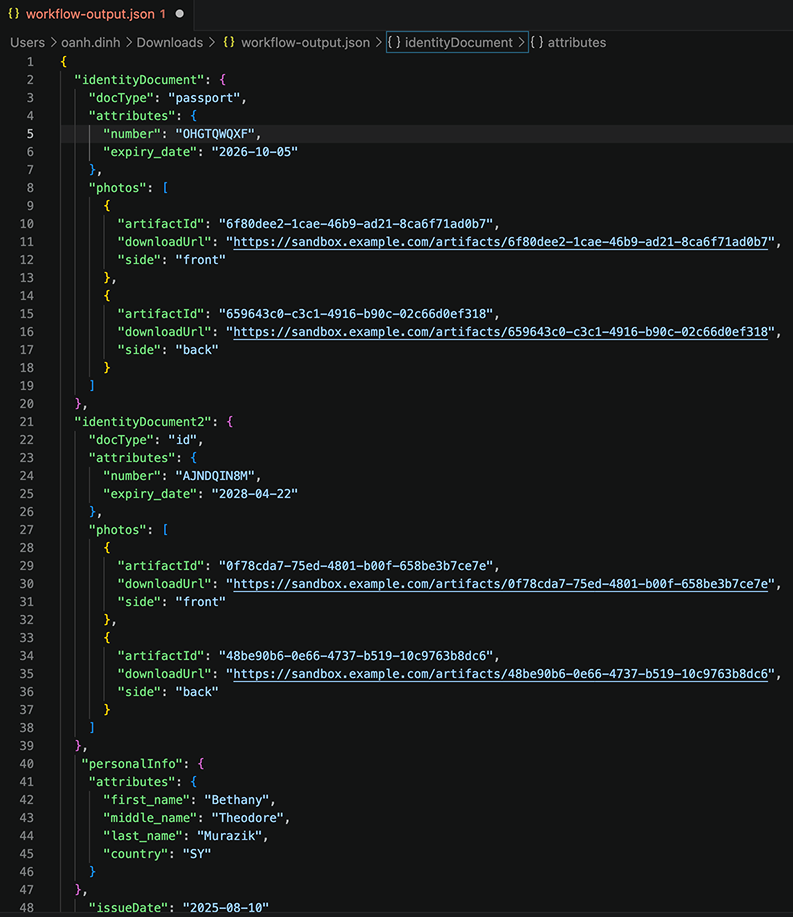
The Workflow Queries screen provides a centralized view of all workflows within your organization.
By default, ShareRing LINK includes pre-built workflow templates to help you get started quickly:
- Age Verification
- eKYC Low
- eKYC Medium
These templates can be used as-is or customized to match your business requirements.
🔧 Workflow Actions
Each workflow includes an action menu with the following options:
The editor supports drag-and-drop workflow design with configurable nodes such as capture, verification, logic, and delivery.
🧩 Pre-built Workflow Templates
Why This Matters
Pre-built workflow templates enable you to quickly set up and test verification flows without building from scratch.
They allow you to:
- Launch verification flows in minutes
- Test end-to-end scenarios via QR code
- Receive structured results via HTTP (webhook) or email
- Understand how verification steps, logic, and outputs are connected
These templates also serve as a foundation for further customization based on your business requirements.
Sample - Age Verification Workflow
This workflow validates whether a user meets a minimum age requirement.
To receive verification results via HTTP (webhook), configure the delivery step:
- Click Edit on the Age Verification workflow
- Open the Workflow Editor
- Select the Delivery HTTP component
- Enter your webhook URL - this is where results will be sent
Once configured:
- A conditional check evaluates the result
- If passed → data is delivered to your webhook endpoint
- If failed → the workflow is rejected
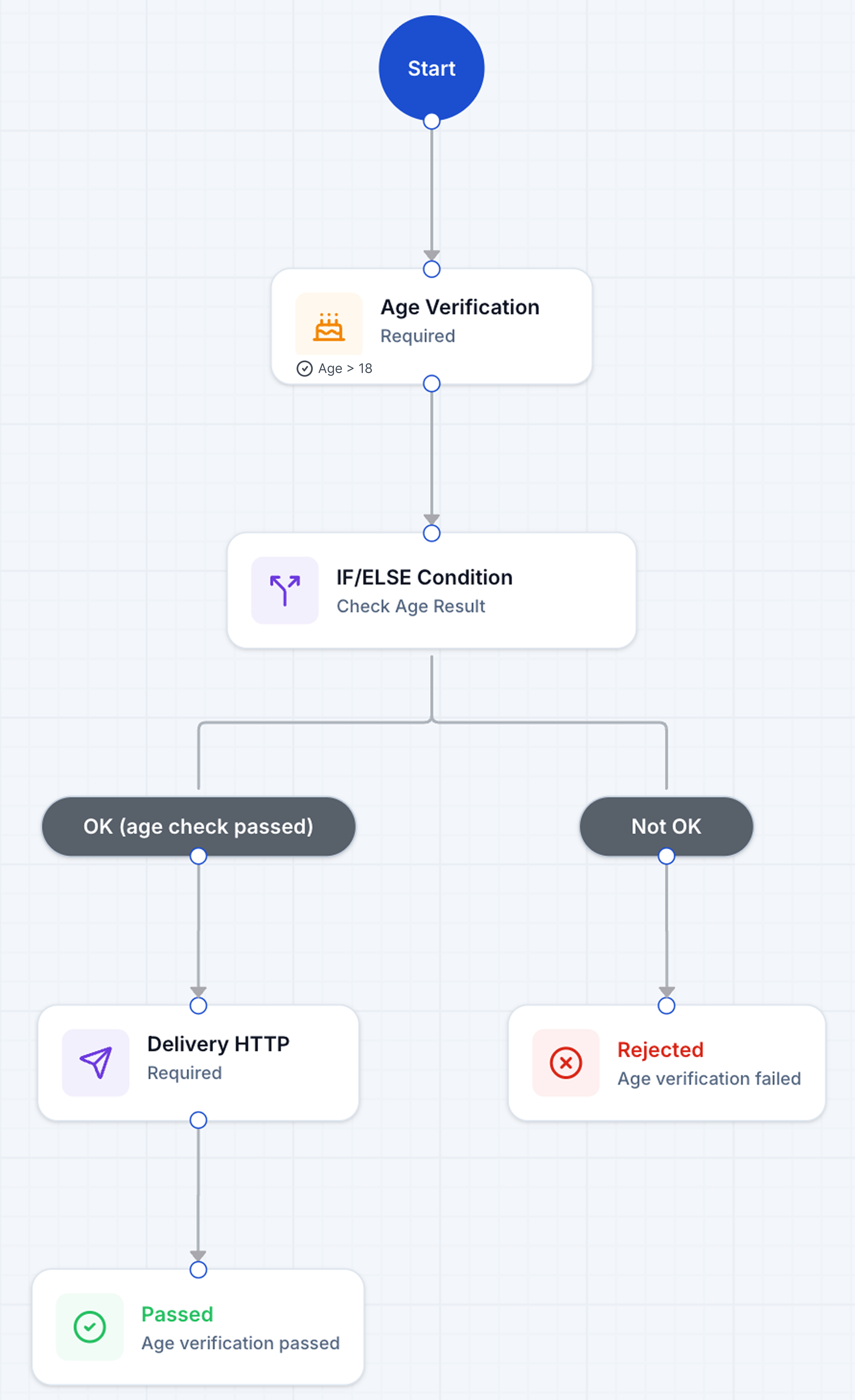
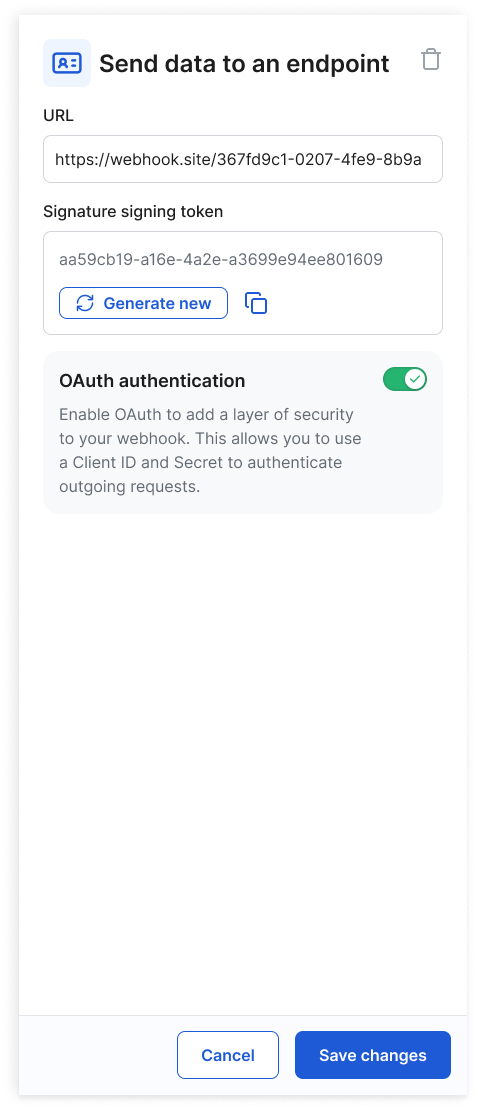
Click the Delivery HTTP node to configure your endpoint for receiving verification results.
For a complete end-to-end walkthrough, including QR code scanning, refer to the demo video.
📡 Querying Workflow Results
After a workflow execution, results can be retrieved via API.
A typical response includes:
- Workflow status (passed / failed)
- Step-level outputs
- Metadata (timestamps, inputs, verification results)
These results can be used to:
- Drive business decisions
- Trigger downstream processes
- Store verification records